Network Setup
Internet Gateway
A router that connects a LAN with the Internet is called a gateway router.
Typically, a modem/router combination that includes a firewall and was supplied by your ISP.
Static IP Address
Your Internet Gateway will need a static IP address (which is assigned by your ISP).
LAN
The Internet Assigned Numbers Authority (IANA) has reserved the following three blocks of the IP address space for private internets:
10.0.0.0    - 10.255.255.255  (10/8 prefix)
172.16.0.0  - 172.31.255.255  (172.16/12 prefix)
192.168.0.0 - 192.168.255.255 (192.168/16 prefix)
Our Internet Gateway's IP address is:
192.168.20.1
Devices connected to it will be allocated addresses in the range:
192.168.20.2 - 192.168.20.254
Interior Router
A router in a Local Area Network (LAN) is called an interior router.
We need to connect a LAN port from our Internet Gateway to our Interior Router's WAN port.
Using the interior router's web interface we can configure the WAN connection:
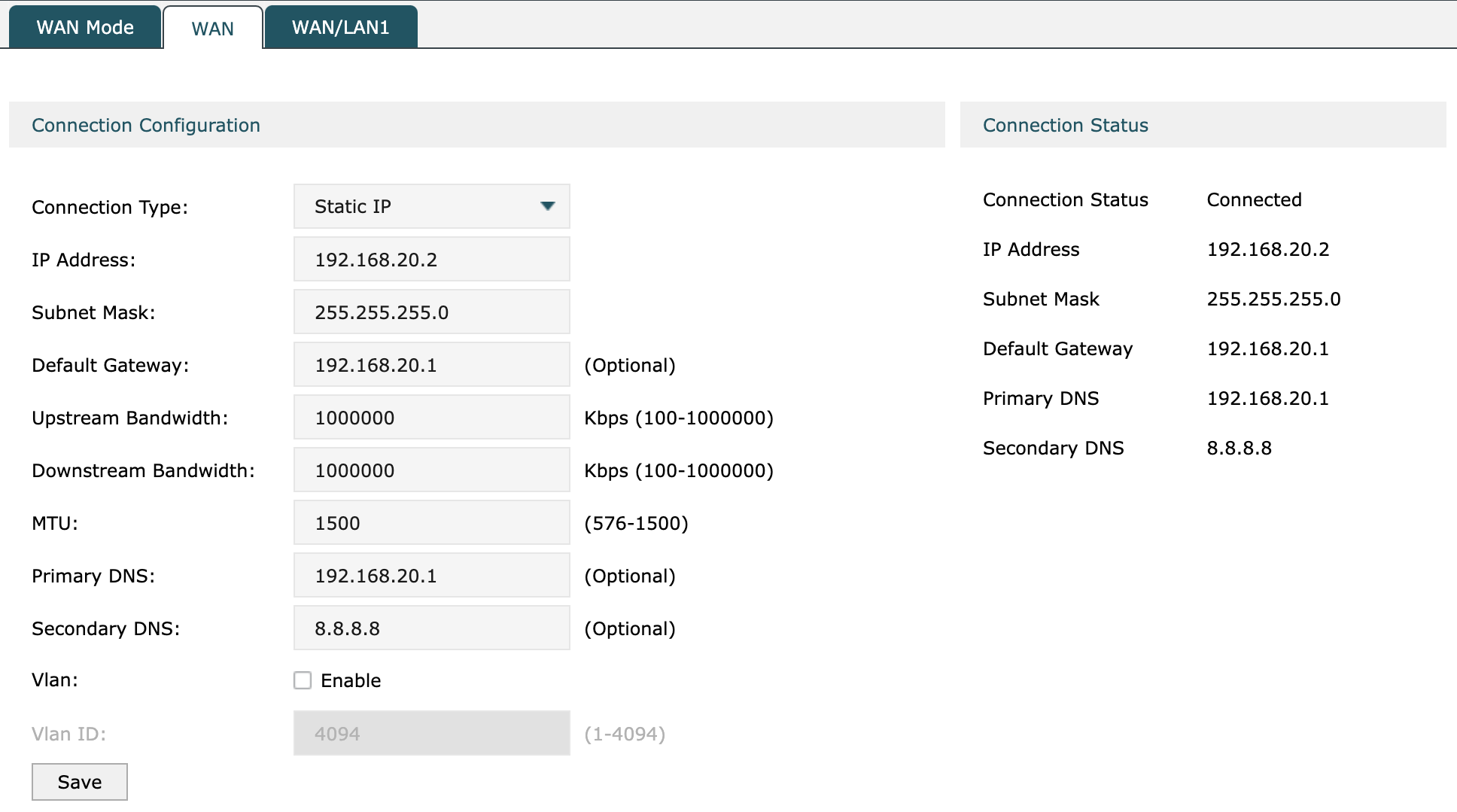
Our Interior Router's IP address is:
192.168.20.2
Subnets
We want to divide our (Stake Pool) network into three subnets.
Using the interior router's web interface we can configure its LAN ports:
Name    IP Address      Subnet Mask
-------------------------------------
LAN1    192.168.101.1   255.255.255.0
LAN2    192.168.102.1   255.255.255.0
LAN3    192.168.103.1   255.255.255.0
We'll use LAN1 as our public network, LAN2 as our private network and LAN3 as our management network.
Note: Later on we'll configure static routes from the Internet Gateway to the interior router's LAN1.
Switch
A network switch is a device used to connect computers to a local area network.
We'll connect a switch to the interior router's LAN1 port and another switch to the interior router's LAN2 port.
NAS
A Network Attached Storage (NAS) device provides centralised, high performance file storage to client devices.
Our NAS device has two RJ-45 1GbE LAN ports, so we'll connect it to both switches.